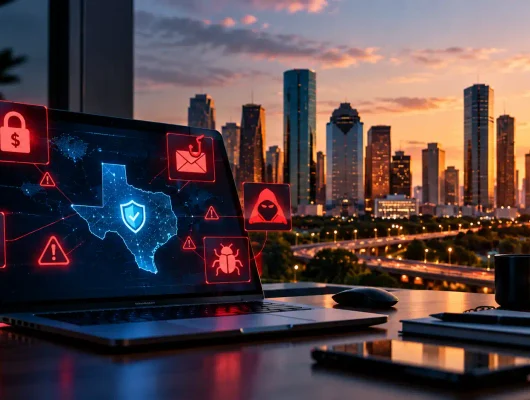
Cybersecurity risks Houston businesses face are becoming a serious concern as more companies rely on computers, business software, cloud storage, and online communication to manage their daily work. A single cyberattack can put customer information at risk, interrupt business operations, and cost a company thousands of dollars in recovery expenses.
Many business owners believe cybercriminals only target large companies. However, small and medium-sized businesses are also attractive targets because they may have weaker security systems, outdated software, or limited IT support.
For companies in Houston and across Texas, protecting business information is no longer optional. Whether you operate a healthcare facility, construction company, retail business, manufacturing company, or professional service firm, your digital systems need proper protection.
COBAIT is a Houston-established IT service provider offering IT and cybersecurity solutions to businesses throughout Texas. From managed IT services to network security and cybersecurity support, COBAIT helps businesses maintain reliable technology systems and improve their digital security.
In this guide, we will explain seven common cybersecurity threats, how they can affect your business, and what you can do to protect your company.
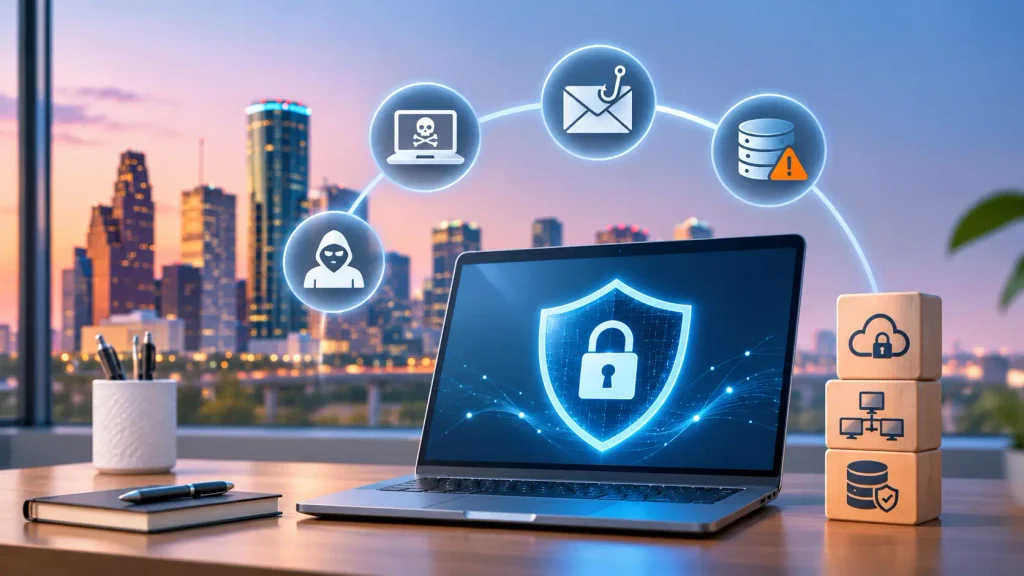
Why Is Cybersecurity Important for Houston Businesses?
Almost every business uses technology in some way. Companies store customer information, process payments, communicate through email, manage employee records, and share important documents online.
While these tools make business operations easier, they also create opportunities for cybercriminals.
For example, an employee might accidentally open a fake email, a weak password could allow someone to access a company account, or an outdated computer system could give attackers an opportunity to enter a business network.
These problems can affect businesses of every size.
Understanding Cybersecurity Risks Houston businesses face is the first step toward protecting company information, maintaining customer trust, and avoiding unnecessary business interruptions.
7 Major Cybersecurity Risks Houston Businesses Should Not Ignore
1. Ransomware Attacks: When Cybercriminals Lock Your Business Files
Imagine arriving at work one morning and discovering that you cannot open your business files, access customer records, or use your company software. Instead, a message appears demanding money to restore access.
This is how a ransomware attack can affect a business.
Ransomware is a type of malicious software that locks or encrypts files and systems. Cybercriminals then demand payment to restore access. Sometimes, they also threaten to publish stolen business information.
A ransomware attack can cause serious problems for companies. Employees may be unable to work, customer service may stop, and important business information may become unavailable.
How to protect your business:
- Back up important business files regularly.
- Keep computers and software updated.
- Use reliable antivirus and endpoint protection.
- Avoid opening unknown email attachments.
- Limit access to important company files.
- Create a plan for recovering data after an attack.
Regular backups are especially important because they can help your business recover without depending on cybercriminals.
2. Phishing Emails: Fake Messages That Steal Your Information
Have you ever received an email that looked like it came from your bank, a delivery company, or a business partner but seemed slightly unusual?
It could be a phishing attempt.
Phishing is a common cyberattack where criminals send fake emails or messages to trick people into sharing passwords, financial information, or other sensitive details.
For example, an employee may receive an email that looks like it comes from the company owner, asking them to open an attached document or make an urgent payment.
If the employee follows the instructions without checking the message, the company could lose money or expose important information.
How to protect your business:
- Train employees to recognize suspicious emails.
- Use business email security and spam filtering.
- Avoid clicking unknown links.
- Verify unusual payment requests before sending money.
- Enable multi-factor authentication (MFA).
- Report suspicious messages to your IT support team.
A few seconds of checking an email can prevent a much bigger business problem.
3. Data Breaches: When Private Business Information Gets Exposed
Every business handles information that should not be available to the public. This may include customer names, contact details, payment records, employee information, financial documents, and business contracts.
A data breach happens when someone gains access to this information without permission.
This can happen because of weak passwords, unsecured databases, stolen devices, poor access controls, or compromised employee accounts.
For example, if a company’s customer database is exposed, customers may lose trust in the business. The company may also face investigation, legal costs, and additional expenses to secure its systems.
How to protect your business:
- Keep sensitive information encrypted.
- Give employees access only to the files they need.
- Use strong passwords and multi-factor authentication.
- Review who can access important business information.
- Secure company databases and cloud storage.
- Monitor unusual account activity.
Businesses should treat customer information carefully because protecting it is an important part of maintaining customer trust.
4. Weak Passwords: An Easy Way for Hackers to Access Business Accounts
Weak passwords are one of the simplest ways cybercriminals can gain access to business accounts.
Many people still use easy passwords, reuse the same password across multiple websites, or share login details with colleagues.
For example, if an employee uses the same password for their business email and another website, a data breach on that website could put the company email account at risk.
Once attackers access one account, they may try to enter other business systems.
How to protect your business:
- Use strong and unique passwords for every account.
- Enable multi-factor authentication.
- Use a trusted password manager.
- Avoid sharing login credentials.
- Remove access when employees leave the company.
- Review administrator permissions regularly.
A strong password policy is a simple but important part of business cybersecurity.
5. Outdated Software: Security Problems You May Not Notice
When was the last time your business updated its computers, applications, and network devices?
Many businesses delay software updates because they are busy or worry that updates might interrupt their work.
However, outdated software can contain security weaknesses that hackers already know how to exploit.
For example, an older operating system may have vulnerabilities that allow attackers to access company computers or spread malicious software across a network.
This is why regular software updates are important.
How to protect your business:
- Install security updates as soon as practical.
- Replace software that no longer receives updates.
- Keep computers and network devices updated.
- Check business systems regularly for known vulnerabilities.
- Schedule routine IT maintenance.
- Maintain an inventory of company devices and software.
Regular updates help close security gaps and keep business technology running more safely.
6. Cloud Security Problems: Protecting Files Stored Online
Many businesses now use cloud platforms to store documents, share files, manage projects, and communicate with employees.
Cloud technology makes it easier to work from different locations. However, it also needs proper security settings.
For example, a company may accidentally allow too many people to access a shared folder containing confidential customer information. A weak cloud account password can also make business files vulnerable.
These problems can expose important information even when a company uses a well-known cloud service.
How to protect your business:
- Use strong passwords for cloud accounts.
- Enable multi-factor authentication.
- Limit access to confidential files.
- Review cloud sharing permissions regularly.
- Use encryption where appropriate.
- Monitor unusual login activity.
Cloud security is not just about choosing the right platform. Businesses must also make sure their accounts, permissions, and information are properly protected.
7. Insider Threats: Security Risks That Can Come from Inside Your Company
Not every cybersecurity problem comes from an unknown hacker. Sometimes, security risks start inside the business.
An employee may accidentally send a confidential document to the wrong person, download an unsafe file, or share login information. In other cases, someone with authorized access may intentionally misuse company information.
These situations are known as insider threats.
Even a small mistake can expose important business information or create problems for the entire organization.
How to protect your business:
- Provide regular cybersecurity training.
- Set clear rules for handling company information.
- Give employees access only to necessary systems.
- Monitor access to sensitive files.
- Remove former employees’ account permissions.
- Create a clear process for reporting security problems.
Employees should understand that cybersecurity is everyone’s responsibility, not just the responsibility of the IT department.
How Cybersecurity Problems Can Affect Businesses Across Texas
A cyberattack can create problems that go far beyond computers and software. It can affect daily operations, customer relationships, and business finances.
Here are some common consequences:
Financial Losses
Businesses may lose money through fraudulent payments, stolen information, recovery expenses, and unexpected IT repairs.
Business Downtime
If employees cannot access company systems, important tasks may stop. This can delay projects, affect customer service, and reduce productivity.
Loss of Customer Trust
Customers expect businesses to protect their personal information. A data breach can damage that trust and make customers less willing to continue doing business with the company.
Legal and Compliance Issues
Depending on the type of information involved and the applicable regulations, businesses may face legal responsibilities, investigations, and reporting requirements after a security incident.
Damage to Business Reputation
News of a cyberattack can affect how customers, suppliers, and business partners view an organization.
For businesses in Houston and other Texas cities, these problems can create long-term challenges. Taking security seriously before an incident happens is often easier and less expensive than dealing with the consequences afterward.
How Can Houston Businesses Improve Their Cybersecurity?
You do not need to be a large company with a dedicated security department to improve your cybersecurity.
Small and medium-sized businesses can start with practical steps that make their systems safer.
Here are some important actions to consider:
- Check Your IT Security Regularly: Review computers, networks, software, and user accounts to identify security weaknesses.
- Protect Your Business Network: Use properly configured firewalls, secure Wi-Fi, and network monitoring.
- Secure Employee Devices: Protect company laptops, desktops, servers, and mobile devices.
- Use Multi-Factor Authentication: Add another layer of security to important business accounts.
- Back Up Important Information: Keep secure copies of business files and test whether they can be restored.
- Train Your Employees: Teach staff how to recognize phishing emails, suspicious links, and unsafe downloads.
- Prepare for Security Incidents: Have a plan for responding to cyberattacks and recovering business operations.
These steps can help reduce common security risks. However, businesses with more complex IT systems may need professional support to manage their security properly.
Why Professional IT and Cybersecurity Support Matters?
Managing business technology is not always easy. As a company grows, it may have more computers, employees, cloud applications, servers, and network devices to maintain.
Without proper monitoring and maintenance, small technical problems can become bigger security issues.
Professional IT support can help businesses keep their systems updated, manage network security, protect company devices, and identify potential vulnerabilities.
Cybersecurity support can also help organizations prepare for threats rather than waiting until something goes wrong.
Depending on your business requirements, professional IT and cybersecurity services may include:
Cybersecurity Risk Assessment: Reviewing business systems to identify security weaknesses and recommend improvements.
Network Security: Helping protect company networks through firewall management, secure configurations, and network monitoring.
Endpoint Security: Protecting computers, laptops, and servers against malware and unauthorized access.
Email Security: Helping reduce phishing emails, spam, suspicious attachments, and business email compromise.
Cloud Security: Improving the protection of cloud accounts, business files, and user access permissions.
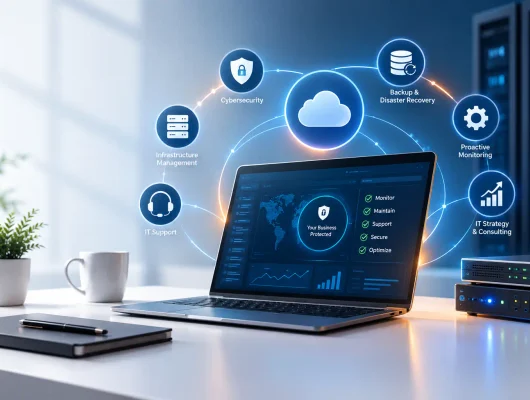
Managed IT Services: Providing ongoing IT maintenance, monitoring, troubleshooting, and technical support.
Data Backup and Recovery: Helping businesses protect important information and prepare for unexpected data loss.
IT Support and Maintenance: Keeping business technology reliable through regular maintenance and technical assistance.
The right services depend on your company’s size, industry, technology, and security needs.
Protect Your Business with COBAIT’s IT and Cybersecurity Services
Your business depends on technology every day. From communicating with customers to managing important documents, your IT systems play an important role in keeping operations running smoothly.
That is why choosing the right IT support partner matters.
COBAIT is a Houston-based IT service provider serving businesses throughout Texas. The company helps organizations manage their technology needs, improve IT operations, and strengthen their digital security.
COBAIT offers IT and technology services designed to support businesses as they grow, including:
- Cybersecurity Services: Helping businesses identify security weaknesses and improve protection against common cyber threats.
- Managed IT Services: Supporting daily IT operations through ongoing maintenance, monitoring, and technical assistance.
- Network Security: Helping businesses improve network protection and maintain more secure IT environments.
- IT Support Services: Providing technical support to help businesses resolve IT problems and maintain productivity.
- Cloud and IT Infrastructure Support: Helping organizations manage their technology infrastructure and cloud-based systems.
- Digital and Business Technology Solutions: Supporting business operations through practical technology services.
Whether your business operates in Houston, Dallas, Austin, San Antonio, or another Texas location, COBAIT aims to help you find IT solutions that match your business requirements.
You do not have to wait for a cyberattack to start protecting your company. Taking preventive steps today can help reduce security risks, protect important information, and keep your business running with greater confidence.
Looking for reliable IT and cybersecurity services in Houston or anywhere across Texas? Contact COBAIT today to discuss your business technology needs and explore the right security solutions for your company.